
When you travel, a good hotel gym can make all the difference. Many treadmills, bikes, and ellipticals now have entertainment screens for TV, YouTube, or music. That’s great for motivation, but how do you actually hear the audio?
A few years ago, most of us carried wired earbuds that plugged into the machine’s headphone jack. Since AirPods became mainstream, many travelers, including myself, rely on Bluetooth only. But here’s the problem: the majority of hotel gyms still use older consoles without Bluetooth audio which means you wouldn’t be able to get any audio.
But of course, there’s good news: there are simple ways to get wireless sound during your workout. In this post, I’m sharing the tips and tricks I use to stay connected. Let me show you what works.
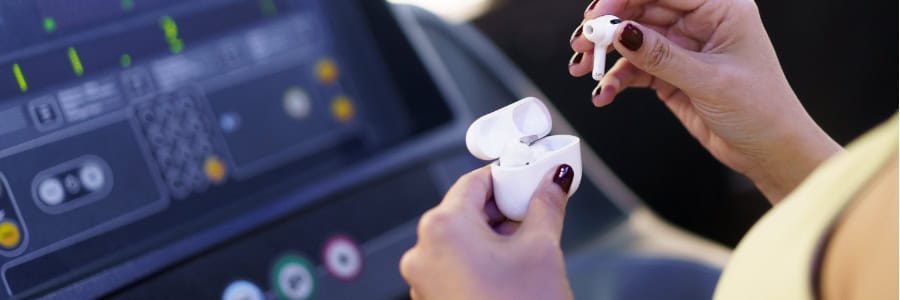
First, Check if the Machine Supports Bluetooth
Although many hotel gyms aren’t using the latest equipment, it’s worth checking if you’re lucky. My first step is always to see if the console supports Bluetooth, even if the option is tucked away in menus. I focus on the top three fitness equipment brands I encounter most often: Life Fitness, Matrix, and Technogym. Here’s how to pair with each:
Life Fitness
Life Fitness is very popular in the US and at US hotel brands. The steps are straightforward, or you can watch the setup on the Life Fitness YouTube channel.
- Tap the Bluetooth or Connect Device icon on the console.
- Select “Scan” to start discovering nearby devices.
- Put your headphones in pairing mode.
- Select your headphones on screen and wait for the confirmation.
Matrix Fitness
Matrix Fitness was initially very popular in the Asian market, but has gained a lot of traction across the globe. Just recently, Matrix and Hilton announced a partnership across Hilton’s 24 hotel brands worldwide.
- Tap the gear-icon on the top right.
- Select “Speakers / Headphones”.
- Put your headphones in pairing mode.
- Select your headphones on the list of available options and wait for the confirmation.
Technogym
Last but not least: Technogym. Technogym is very popular in Europe, as their headquarters are in Italy. Pairing a Bluetooth device is also very easy, and they’ve documented it on their YouTube channel as well.
- Tap the Bluetooth-Icon on the bottom-right.
- Put your headphones in pairing mode.
- Select your headphones on screen and wait for the confirmation.
Pairing Apple AirPods
As mentioned during the intro, Apple AirPods have become very popular. However, sometimes it can be a bit tricky to connect them outside of the Apple ecosystem. From my experience, the order of actions is very critical. Let me break them down:
- Make sure your AirPods are inside the case and docked.
- Open the charging case lid, but do not remove either of the AirPods yet.
- On the back, press and hold the button until the LED turns white and begins a slow, rhythmic blink.
- For AirPods Pro 4, tap the case twice (as there is no button anymore)
- Go through the pairing process in the same way you would when pairing any other compatible device.
What if There’s No Bluetooth on the Machine?
Bring a simple Bluetooth transmitter that plugs into the machine. As these older machines only support a headphone jack, you need an additional device that converts the signal to Bluetooth.
There are many options, and most are probably fine. When buying, focus on these aspects:
- Battery life 20+ hours
- Rechargeable battery, preferably with USB-C (or the same cable you’re already carrying)
- Size/weight, so it fits easily into your gym bag
- Compatibility with your headphones
- Price
These travel-friendly picks are small and easy to pack, and fit the criteria I outlined above. Most models charge via USB-C and run 10 to 25 hours per charge, which covers a full week of travel workouts:
- Twelve South AirFly Pro 2
Dual headphone support, 25+ hour battery, USB-C charging. This one is my favorite because it stays charged through multiple workouts and works just as well on airplane entertainment systems.
- UGREEN Airplane Bluetooth Adapter
Compact transmitter that pairs two sets of headphones and works with airplane jacks or any 3.5mm source. Great if you want something lightweight that disappears in your carry-on.
- Avantree Relay Airplane Bluetooth Adapter
Small, purpose-built unit with aptX support, dual headphone pairing, and a bundled dual 3.5mm airplane plug. Works with gym equipment too. The aptX codec means better audio quality if your device supports it.
How to use any of them:
- Plug the transmitter into the treadmill’s headphone jack.
- Turn on the transmitter and put it in pairing mode.
- Put your headphones in pairing mode.
- Confirm the connection, then start your workout.
Pro Tip: The same setup works on airplanes. Plug your transmitter into the seat audio port, pair your headphones, and enjoy the movie with your own earbuds. If your adapter supports charging while in use, connect a USB-C cable to the seat power and you’re set for long-haul flights.
Don’t Let Tech Stop Your Routine
Don’t let older gym screens or airline jacks get in the way of your routine. If the machine supports Bluetooth, pair directly and go. If not, a pocket-size transmitter solves it in seconds and also upgrades your in-flight entertainment. Pack one, pair once, and enjoy your workout with your own sound wherever you travel.
Check out our hotel fitness guides to find properties with the best gym setups before you book.